Excelerate

50+ Tools. 5 Pillars. One Add-in.

Every tool purpose-built for FP&A modellers. Runs inside Excel — your data never leaves your machine.

Power Commands. One click, full workflow.

Four guided flows that chain the individual tools below into complete workflows — setup, audit, presentation, delivery.

Model Setup

Go from blank sheet to structured model in one click.

Bootstraps 15 cell styles, gridlines off, an index page, and your LAMBDA library — all preloaded.

Full Model Audit

16 audit scans in one pass.

Every finding cites the rule that fired, grouped by severity, with jump-to-cell navigation — all local, zero cloud round-trip.

Presentation Prep

Make models board-ready in 8 guided steps.

Gridlines off, styles applied, charts formatted, metadata cleaned — all in one guided flow.

Clean & Send

Strip, lock, ship — zero leaks.

9-step workflow: Ghost Hunter purge, name cleanup, metadata scrub, protection applied.

Pillar 01Model Auditing

Find what’s broken before the CFO does.

22 deterministic audit scans. Every finding cites the rule that fired, grouped by severity, with jump-to-cell navigation.

22 tools

Hard-Code Hunter

Highlight every hardcoded value in your model.

Formula Inconsistency Detector

Flag formulas that break row/column patterns.

Formula Deconstructor

Visual logic tree with risk scoring and plain English translation.

Complexity Scorer

Score every formula by nesting depth and volatility.

Error Shield

Group errors by pattern and selectively wrap with IFERROR.

Style Guard

Colour-code sheet logic: inputs, formulas, external links.

Workbook Comparator

Cell-by-cell diff with colour-coded audit heatmap.

Circular Reference Finder

Pinpoint and resolve circular dependencies.

Orphan Cell Detector

Find formulas with no downstream dependencies.

Stale Range Detector

Identify named ranges no longer in use.

Volatile Function Scanner

Flag NOW(), RAND(), INDIRECT() volatility risk.

External Link Scanner

Inventory every external workbook reference.

Precedent Tracer

Backward dependency walk with chain visualisation.

Dependent Tracer

Forward dependency walk with impact preview.

Named Range Auditor

Scope, type, and conflict check for all names.

Merged Cell Finder

Locate merged ranges that break formula logic.

Conditional Format Auditor

Find overlapping or redundant rules.

Data Validation Auditor

Check validation scope and coverage.

Protected Sheet Inventory

List all locked sheets and ranges.

Logic Flow Mapper

Visual model topology showing sheet dependencies.

Impact Monitor

Live watch list for critical cells during model edits.

Name Auditor

Full named-range governance dashboard.

Pillar 02Workflow & Formatting

Polish that scales with your workbook.

Cross-sheet batch operations for every formatting chore Excel makes you repeat cell by cell.

11 tools

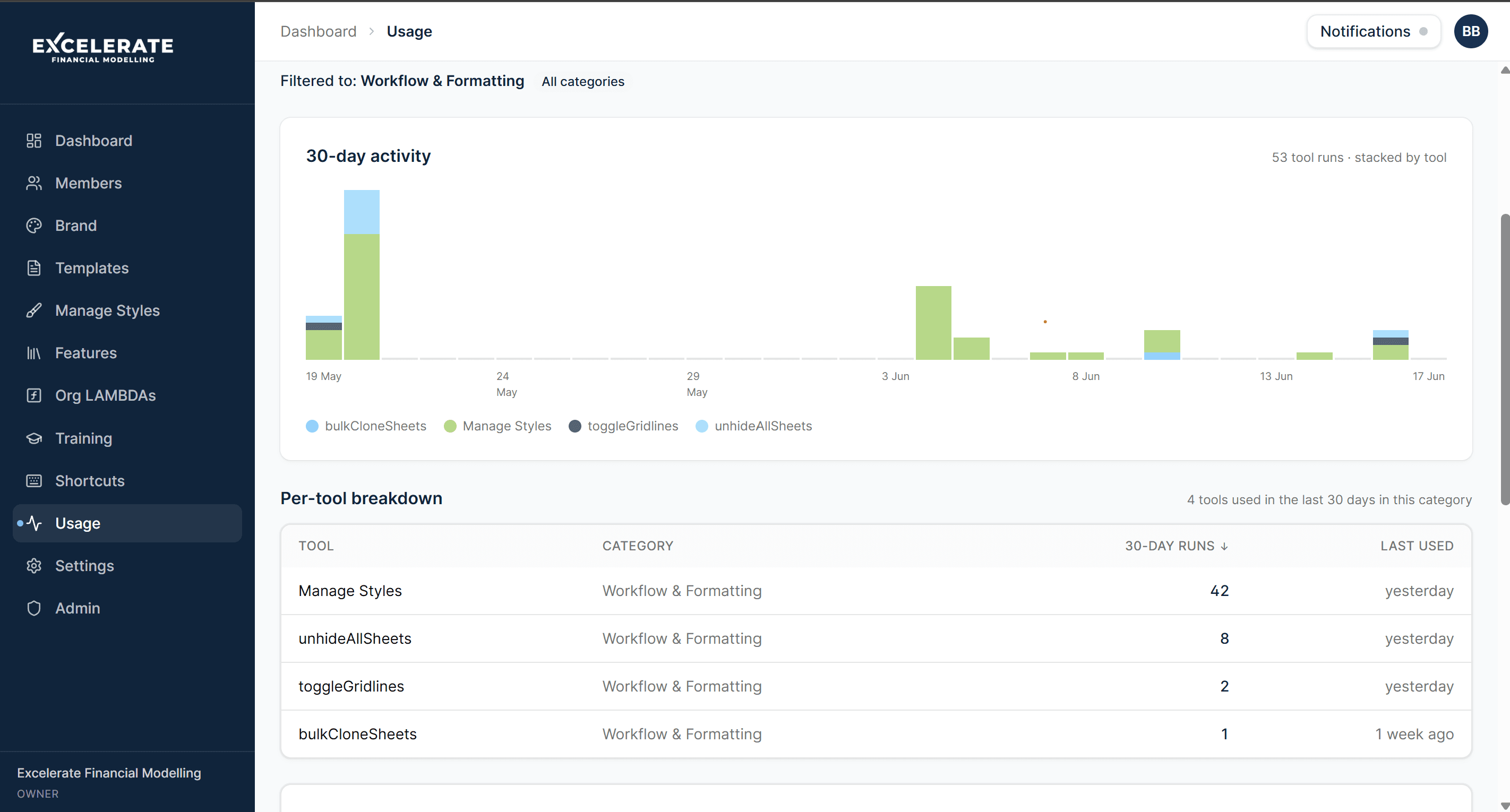
Toggle Gridlines

On/off across every worksheet in one click.

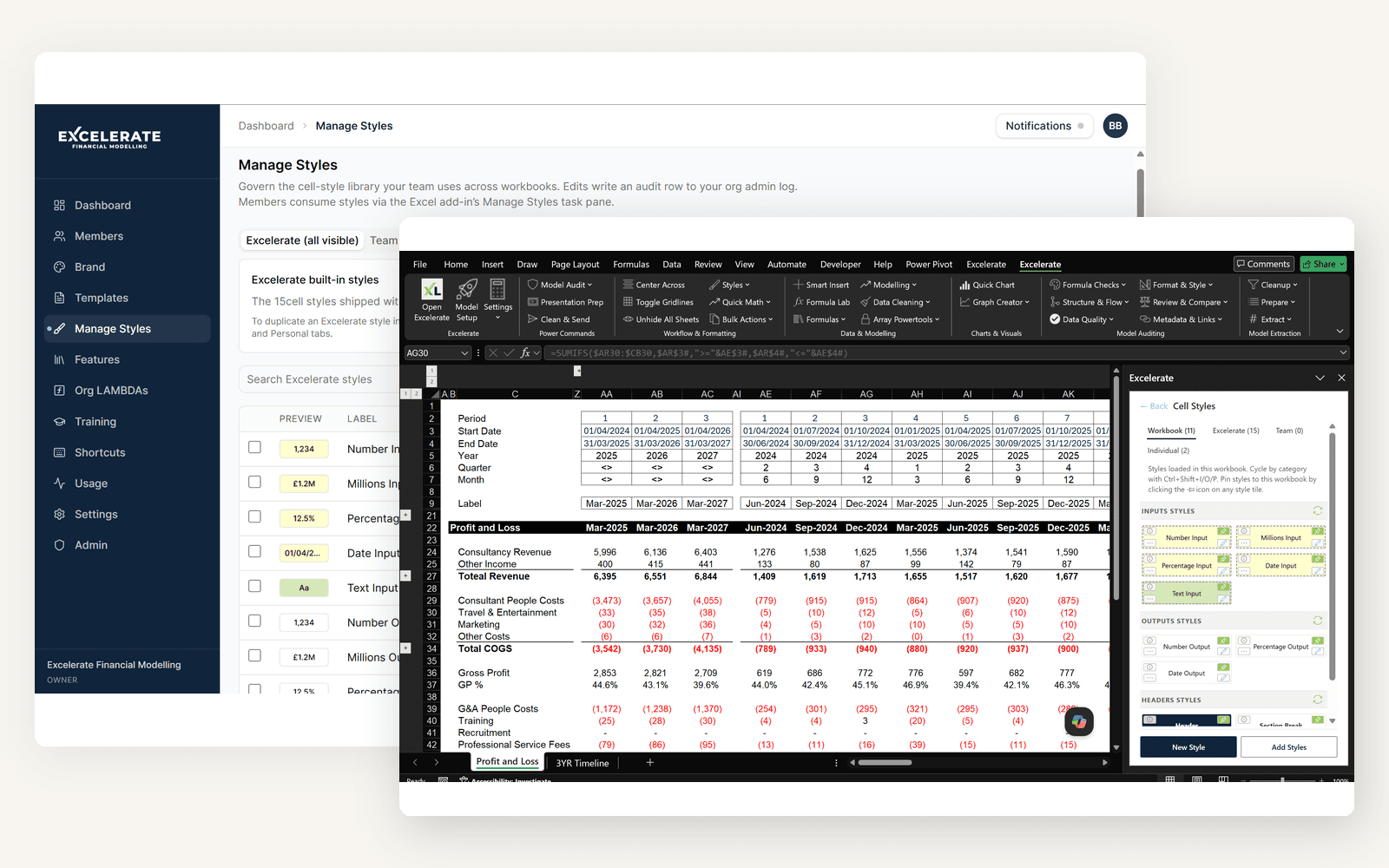
Manage Styles

Full custom cell style manager with conflict detection.

White Border Suite

High-end knockout look with auto-contrast.

Batch Find & Replace

Cross-sheet find and replace with protected sheet detection.

Sheet Tab Colouring

Colour-code tabs by model function.

Bulk Clone / Rename

Clone or rename multiple sheets with patterns.

Freeze Pane Manager

Apply consistent freeze rules across sheets.

Row Height Normaliser

Batch-set row heights for print readiness.

Column Width Normaliser

Auto-fit or standardise column widths.

Print Area Manager

Centralised print-area governance.

Page Setup Synchroniser

Copy page setup across sheets.

Pillar 03Data & Modelling

Formulas built for FP&A— not Investment Banking.

90+ LAMBDA functions. Nine categories. Zero reinvention of SaaS metrics, valuation, or cash-flow maths.

9 tools

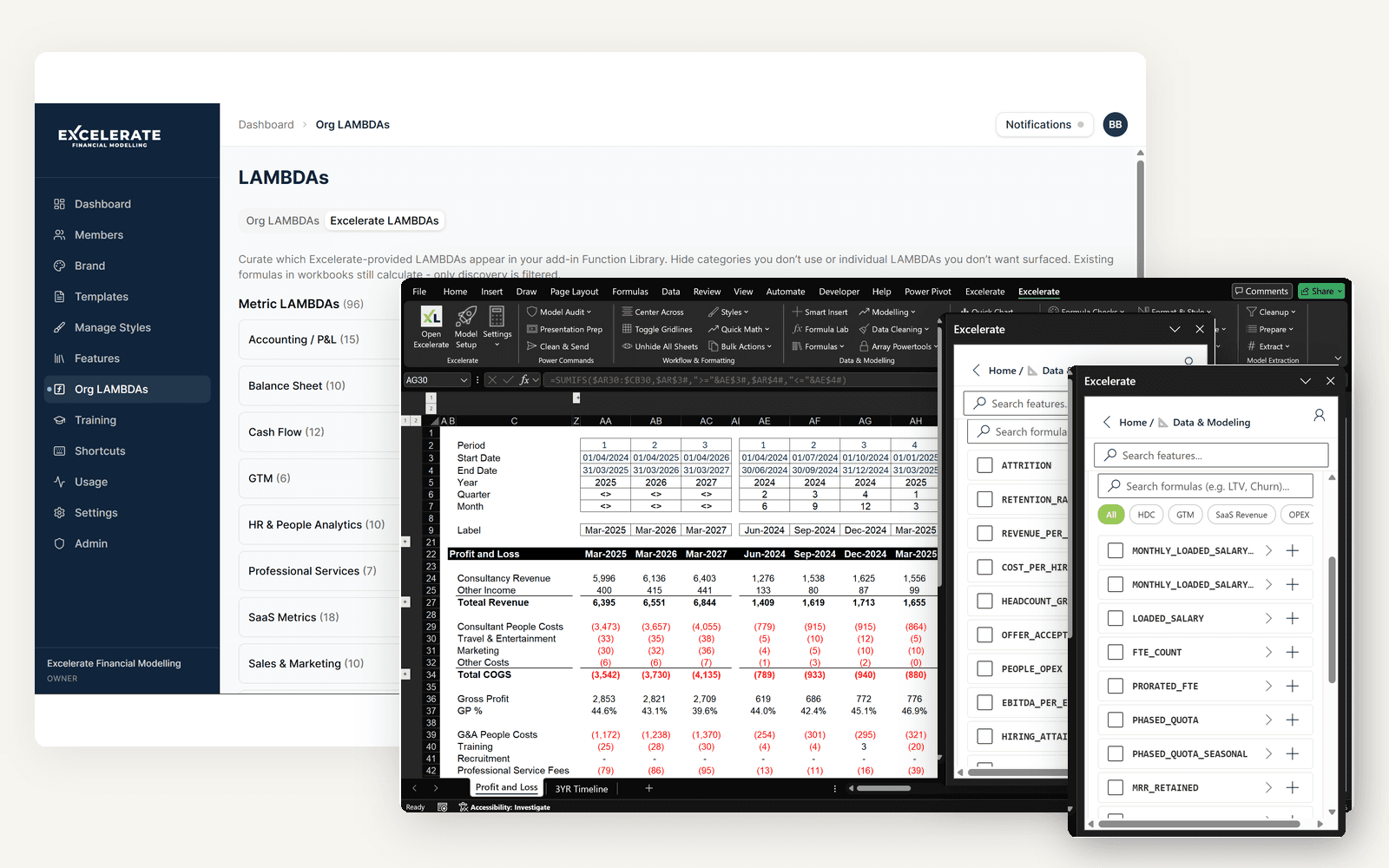
Function Library

90+ LAMBDA functions across 9 categories — SaaS, FP&A, Valuation.

Formula Lab

Wrap, extract constants, and convert LAMBDA to LET.

Pivot-to-Formula Transformer

Convert Pivot Tables to live SUMIFS/COUNTIFS formulas.

Batch Goal Seek

Solve up to 50 cells simultaneously.

Data Cleaning Suite

Trim, case change, dedup, strip non-printing characters.

Named Range Injector

Bulk-create named ranges from a selection.

Formula Documenter

Attach plain English notes to complex formulas.

LET Converter

Refactor long formulas into LET-based readable form.

Scenario Manager

Lightweight scenario toggle built on LET + named ranges.

Pillar 04Charts & Visuals

Consultant-grade charts. Drive the story.

Six chart archetypes FP&A analysts actually reach for — plus governance to enforce consistency across a workbook.

6 tools

Quick Chart Editor

One-click consultant-grade chart formatting with persistent preferences.

Graph Creator — Waterfall

Revenue bridge and variance waterfalls.

Graph Creator — Football Field

Valuation range visualisation.

Graph Creator — Tornado

Sensitivity tornado charts.

Graph Creator — Gantt

Project timeline Gantt charts.

Chart Style Governance

Enforce chart formatting standards across a workbook.

Pillar 05Model Extraction

Strip, lock, ship.

Nine tools that purge hidden artifacts, sever external links, and produce a checklist of everything removed before distribution.

9 tools

Ghost Hunter

Find and purge hidden shapes, dead names, and workbook bloat.

External Link Breaker

Sever external workbook references safely.

Document Properties Scrubber

Strip metadata before sharing.

Formula-to-Value Converter

Flatten formulas to static values.

Comment & Note Stripper

Selectively remove comments and notes.

Hidden Sheet Finder

Locate sheets hidden via VeryHidden.

Macro Stripper

Remove VBA modules before external distribution.

Workbook Deflate

Reduce file size by purging unused styles and formats.

Protection Manager

Apply or remove sheet/workbook protection in bulk.

90+ functions. 9 categories. Built for finance.

A domain-specific formula library — SaaS metrics, accounting, cash flow, valuation. Inject any function directly into your workbook as a reusable named range.

Runs everywhere Excel runs.

Modern Office.js add-in — same experience on Windows, Mac, Excel Online, and iPad.

Windows

Supported

Mac

Supported

Web

Supported

iPad

Supported

Excelerate vs Competitors

Comparing Excelerate vs Macabacus

Feature
Excelerate
Macabacus
Platform
Windows + Mac + Web
Windows + Mac
Focus
FP&A & Modelling
Investment banking & PE
Model auditing tools
22 tools
50+ checks
Function Library (LAMBDA)
90+ functions
not included
Formula tracing
included
included
Graph Creators (Waterfall, Football Field, Tornado, Gantt)
5 chart types 1
Partial1
Model Extraction (strip / lock / ship)
9 tools 2
Partial2
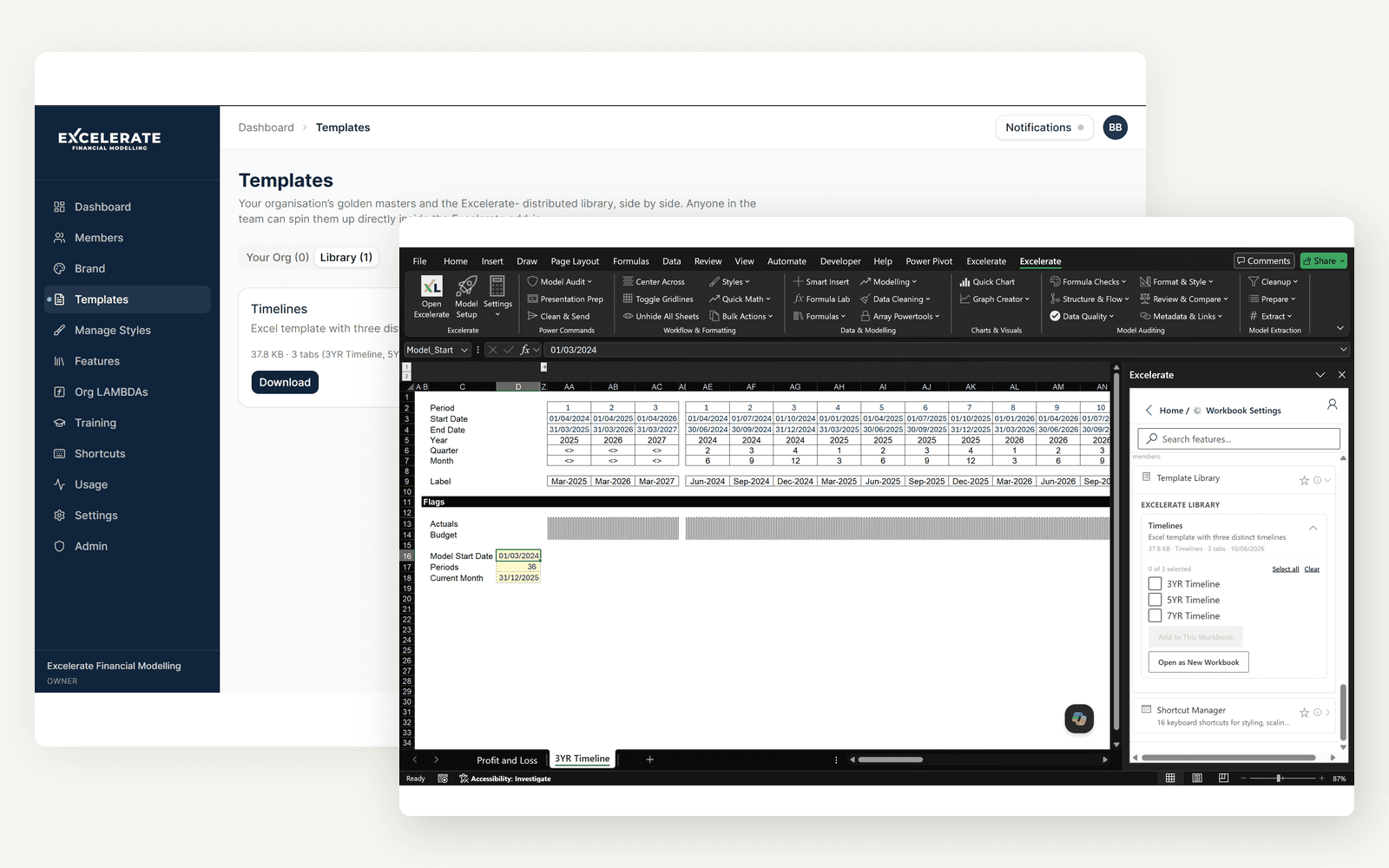
Templates / Brand / Styles / RLS
Team £149/user/yr 3
Partial3
Price (from)
£99 / year 4
from ~£147/user/yr4
  1. 1.Macabacus has strong IB-grade chart formatting but no dedicated Waterfall / Tornado / Gantt / Football-Field creators (think-cell occupies that niche).
  2. 2.Macabacus has utility-level extraction tools but no guided “strip and ship” workflow. Ablebits and Operis OAK do not offer dedicated model-extraction tooling.
  3. 3.Excelerate Team (£149/user/yr) includes shared brand configurations, shared templates library, departments, team analytics, and Row-Level Security per organisation. Macabacus offers shared libraries for firm-approved slides and charts at its Enterprise tier (Custom pricing only). Operis and Ablebits do not offer team governance features.
  4. 4.Competitor prices in GBP equivalent at 1 GBP = 1.3569 USD (FX locked 2026-04-14, source: xe.com). Macabacus Enterprise published starting price $200/user/yr (~£147); individual-tier pricing not directly shown on their public pricing page. Ablebits Personal is a perpetual licence ($49 one-time, ~£36, Windows only) with two years of free upgrades — after two years, continued upgrades require a repurchase. Operis OAK pricing of £311/user/yr sourced from operisanalysiskit.com/oak-price/.

Competitor prices converted at 1 GBP = 1.3569 USD (FX locked 2026-04-14). Rates fluctuate; comparisons are directional.

All data verified 2026-04-14 via competitor websites.

Ship Models Your Leadership Trusts

Install from AppSource

Questions about features?

Frequently asked questions

Every tool runs locally inside Excel. The add-in loads from our servers on first open, but all workbook operations — auditing, formatting, LAMBDA injection, chart formatting — run entirely on your machine with zero cloud round-trips. Works on a plane.